

Release Notes 2025- July
Outline
Release v4.1.110
July 28, 2025
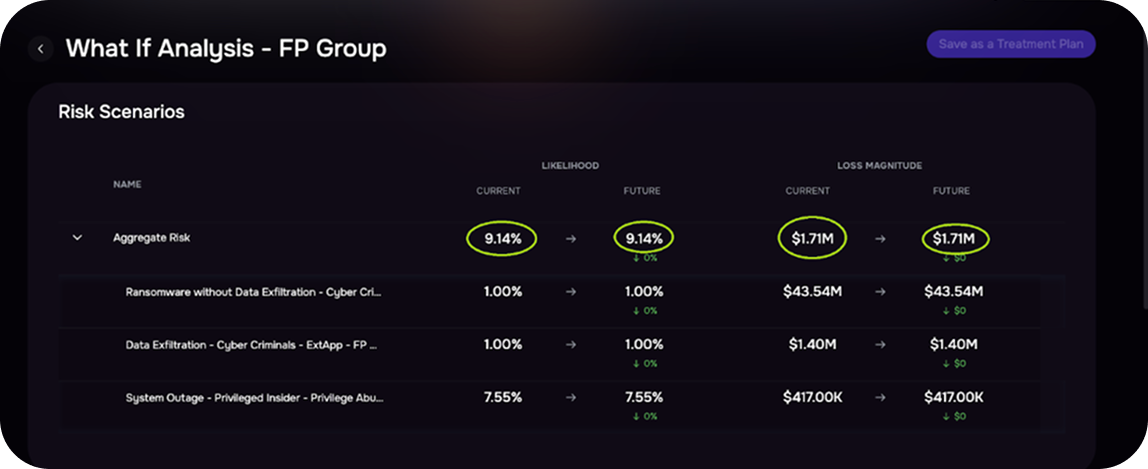
1. Improved Precision for Likelihood, Loss Magnitude, and ALE
Based on your feedback, SAFE’s UI now displays values such as Likelihood, Loss Magnitude, and ALE with enhanced precision, up to two decimal places or smart rounding with rollover. This is a visual refinement only and does not affect the underlying scoring model or any of your existing risk treatment plans.
2. Support for Custom Fields in VA Report Upload
SAFE now supports custom fields during VA report CSV uploads. First, create the required custom fields (e.g., Business Unit, Environment) in SAFE. Matching column headers in your CSV will automatically populate these fields for each finding.
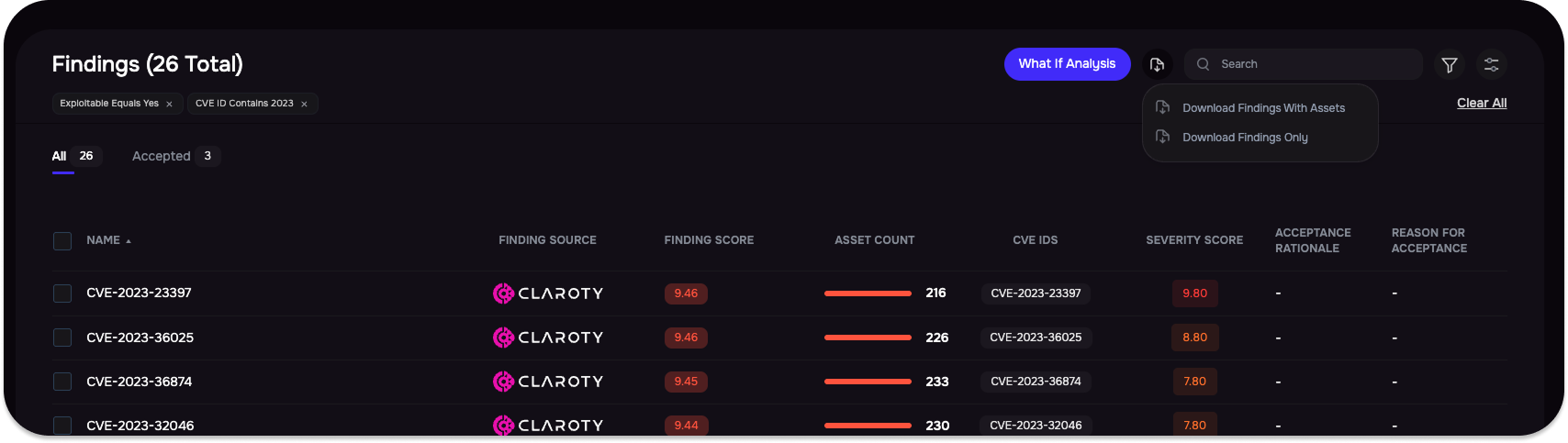
3. Export Filtered List of Findings with Remediation Guidelines
SAFE now supports exporting filtered findings from the Findings Center. “Download Findings with Assets” includes associated assets and remediation guidelines, while “Download Findings Only” exports just the findings with remediations.
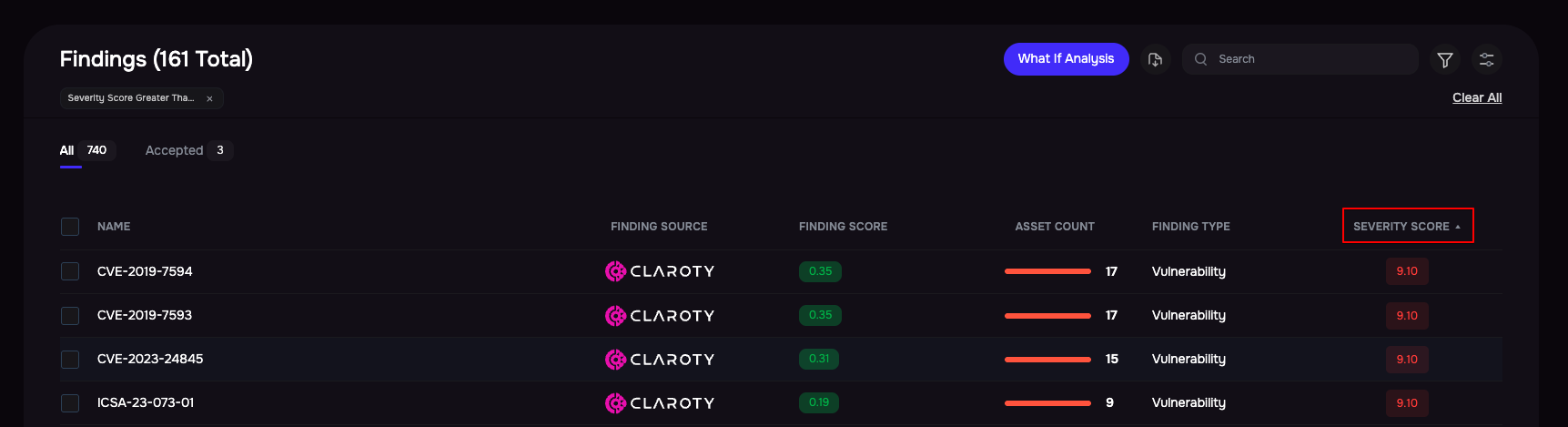
4. Severity Score in Findings List
SAFE now allows Severity Score as columns in the Findings List and supports filtering based on this.
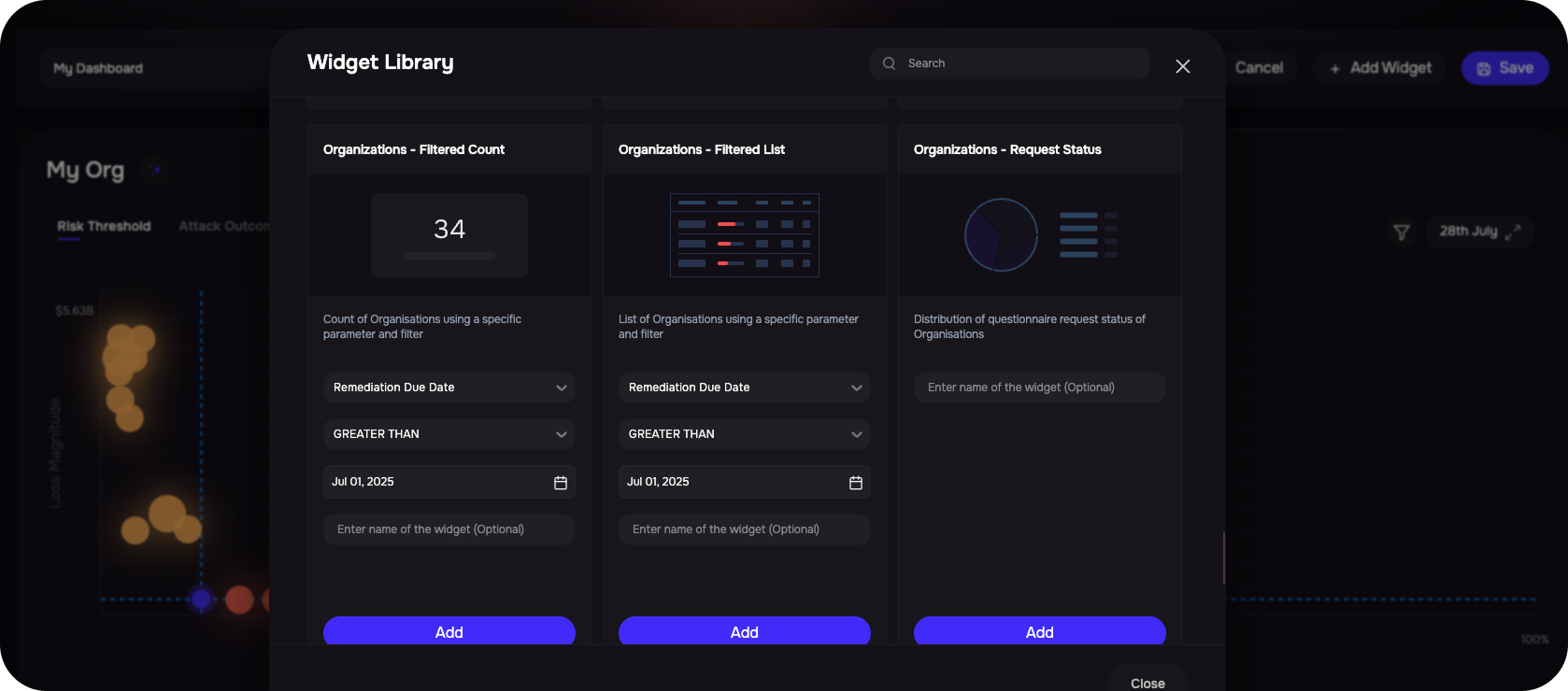
5. Date-Type Custom Fields in Dashboard Widgets
Support has been added for dashboard widgets using date-type custom fields for Organizations, including Distribution, Filtered Count, and Filtered List views.
Release v4.1.109
July 14, 2025
1. Organize and Visualize Risk Scenarios with Tags
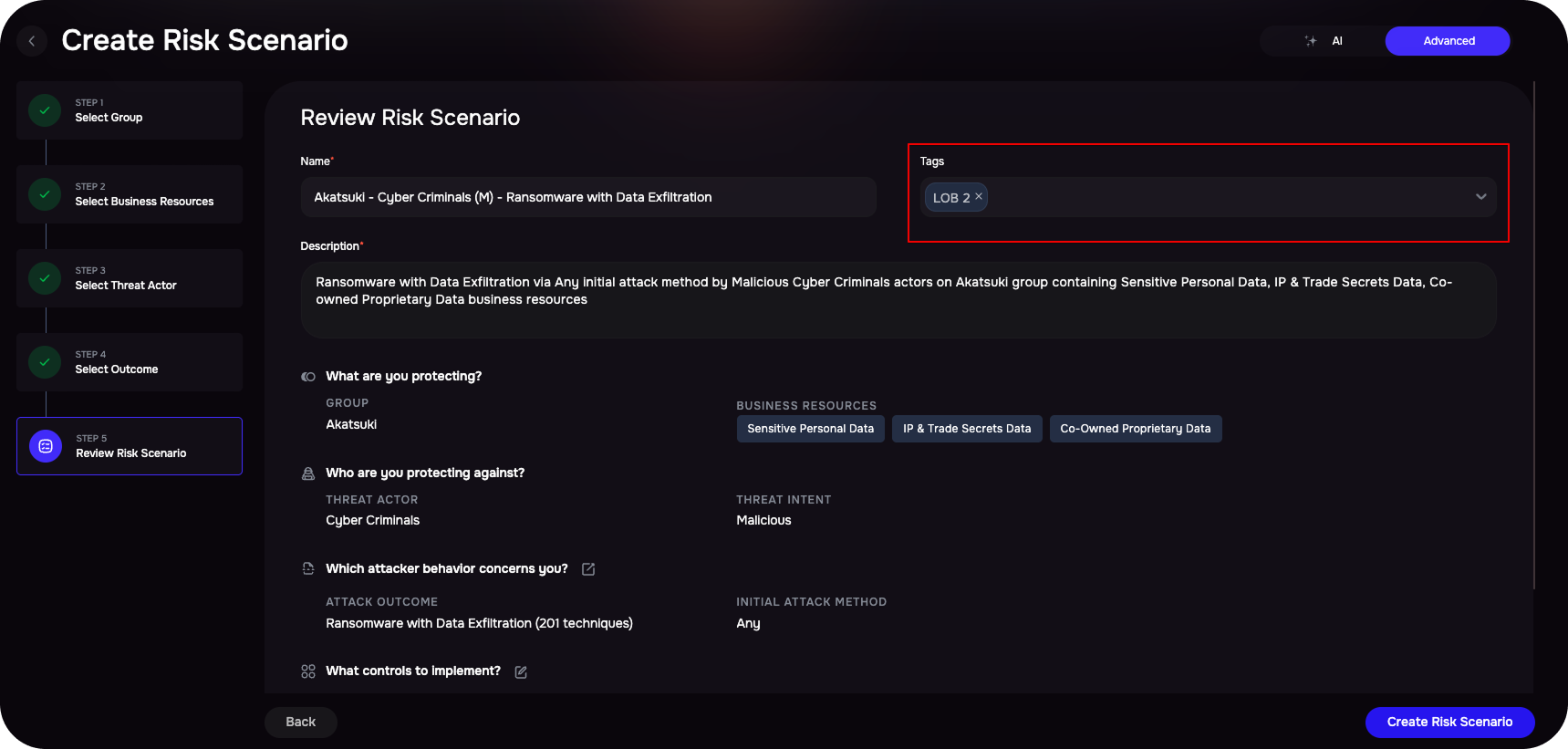
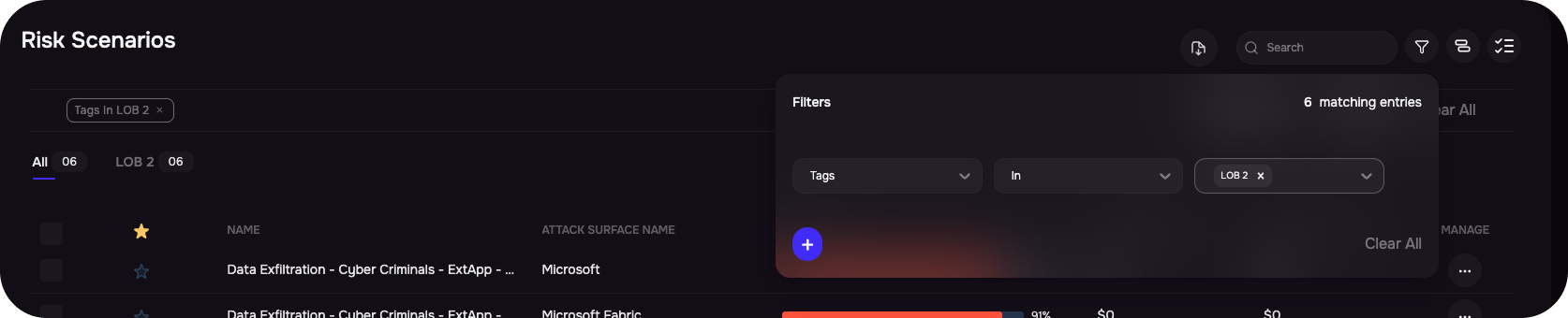
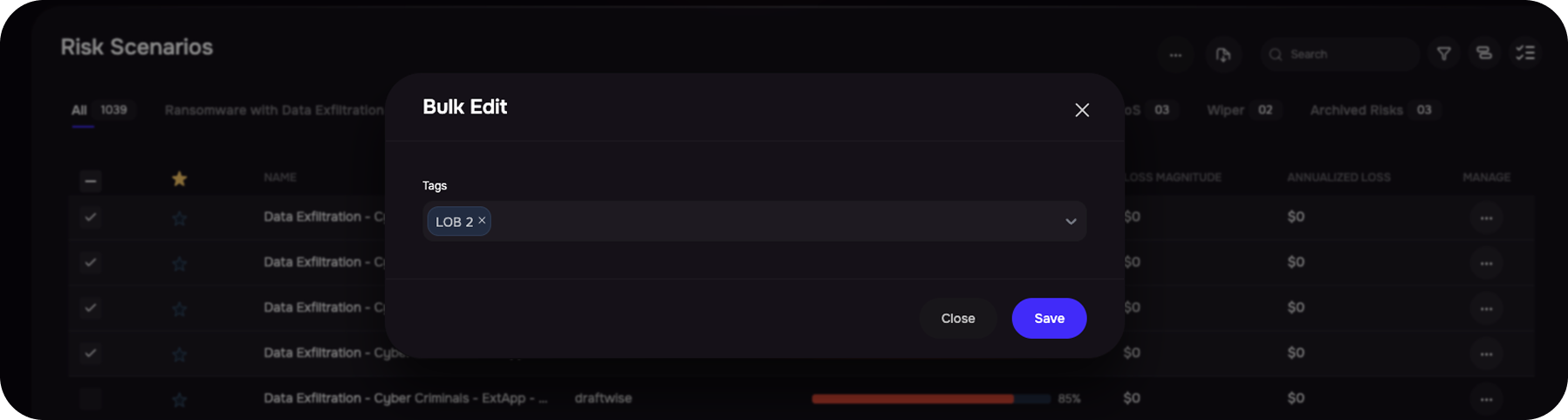
We’ve introduced the ability to tag individual risk scenarios, making it easier to organize, analyze, and report on them by categories such as Business Units or Functions. With this update, users can:
-
Add or edit tags while creating or modifying risk scenarios.
Filter and group risk scenarios in dashboards using tags.
-
Group data by tag in charts and tables for focused insights.
-
Bulk edit tags across multiple risk scenarios for faster updates.
2. New Dashboard Widgets for Findings Reporting
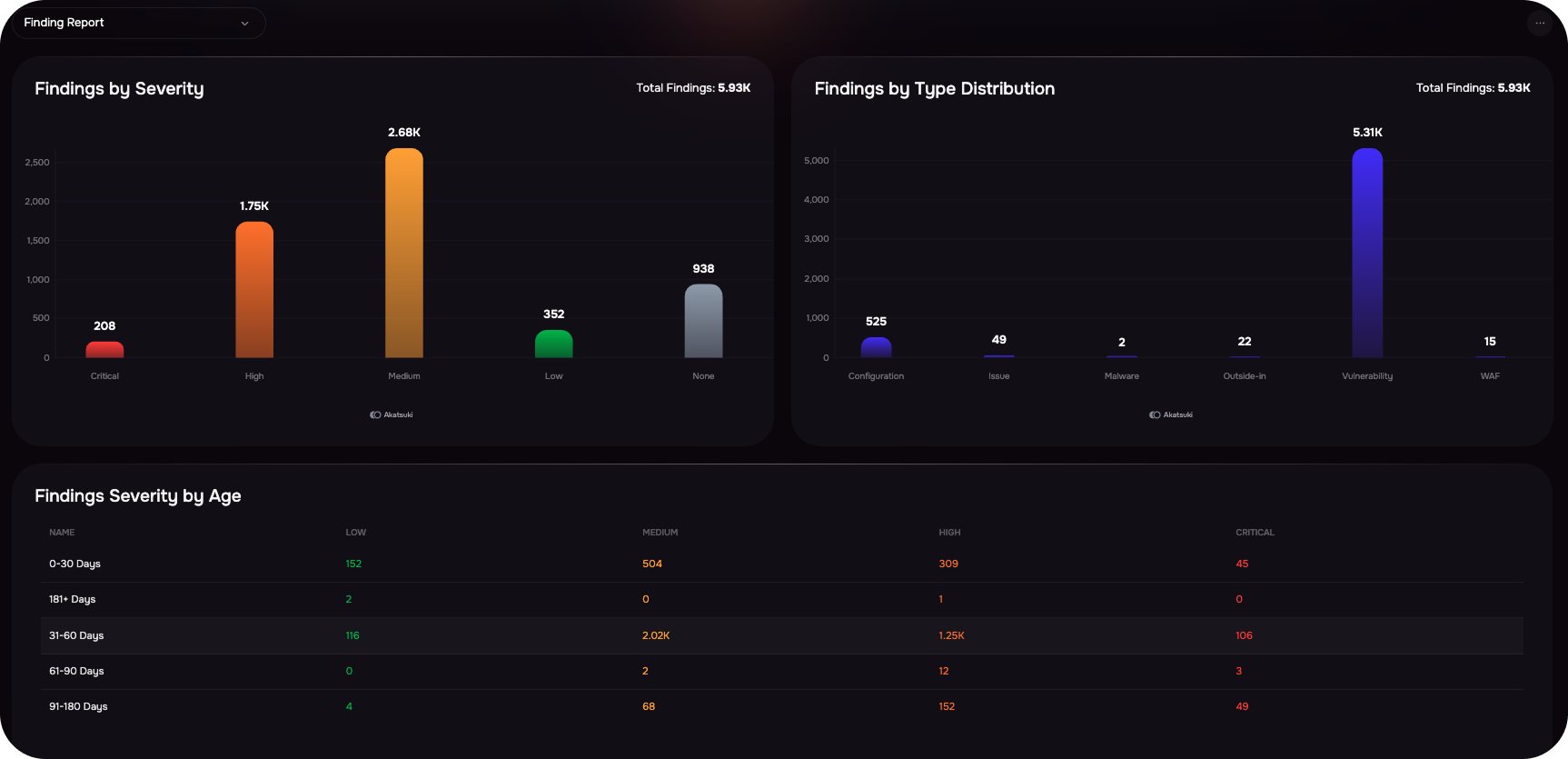
We’ve added a set of new dashboard widgets to enhance findings reporting and visibility. Users can now track and analyze vulnerabilities with widgets like Findings by Severity, Age, Type, Severity by Age, and Top Findings by Source. These widgets provide real-time, group-filtered insights to help prioritize risks, monitor aging issues, and highlight high-impact findings across tools like Wiz and Tenable.
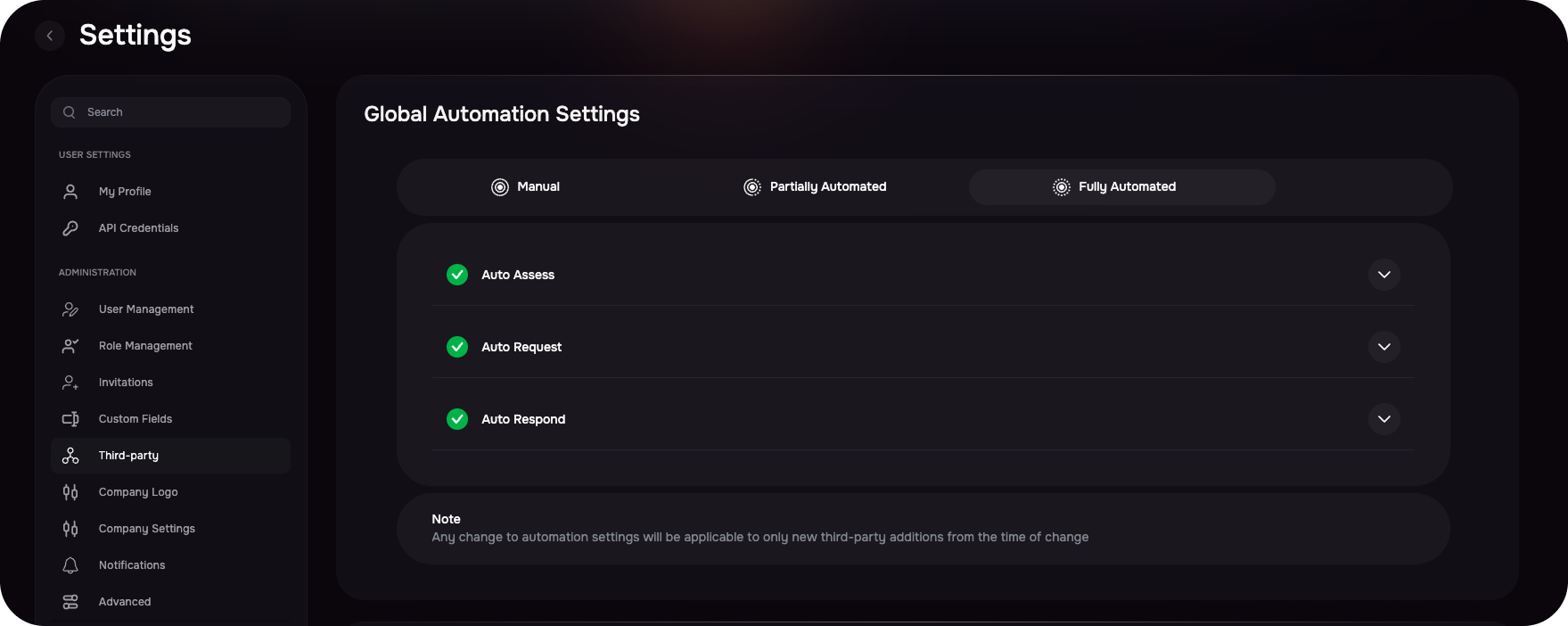
3. Global Automation Settings for Third-Party
We’ve introduced a Global Automation Settings section in the Third-Party Settings to simplify and streamline how automation behaves across third-party workflows. Users can now toggle between three automation modes – Manual, Partially Automated, and Fully Automated – to better align with their organization’s third-party risk management strategies.
Manual: No automation. All actions (assessments, requests, reviews) are handled manually.
Partially Automated: Only Auto-Assess is enabled. Required questionnaires are automatically assessed using outside-in data.
-
Fully Automated: Enables Auto-Assess, Auto Request, and Auto Review. All third-party onboarding steps are automated
4. Outside-In Finding Observations
Outside-In assessments now display raw observation details linked to each asset, improving transparency into Findings. This enhancement helps users understand the origin of findings more clearly.
Note: Observation details will be updated during the next scheduled assessment, expected within the next 15 days.
.png)
5. Threat Center Updated
363 security incidents added in the library for third-party breach notifications.
130 new CVEs are marked as Exploitable.
165 new Threat Events added to the Threat Center.
Did this article help?
Let us know by leaving a star rating at the top of this article.